c’t special 02/2008 Netzwerke: grml
December 12th, 2007Ab 17.12. heisst es Schlange stehen, denn dann gibt es das c’t special 02/2008 Magazin zum Thema Netzwerke im Handel. Und weil grml Teil der beliegenden DVD ist, heisst es: kaufen! :)
Ab 17.12. heisst es Schlange stehen, denn dann gibt es das c’t special 02/2008 Magazin zum Thema Netzwerke im Handel. Und weil grml Teil der beliegenden DVD ist, heisst es: kaufen! :)
The battery of your laptop keeps getting drained even though you are using Suspend-To-Disk [STD]? (No, I’m not talking about Suspend-To-RAM!) That’s what happens at least on my Lenovo ThinkPad X61s notebook. Thankfully there exists a workaround:
Check out what suspend method you use:
# cat /sys/power/disk [platform] test testproc shutdown reboot
So by default ‘platform’ is used, which corresponds with ACPI S4 and is fine if it works for you. What should fix your problem if you notice too much power drain with STD:
# echo shutdown > /sys/power/disk
Now you shouldn’t find any “blinking suspended leds” on your system any longer and no further power drain should happen. More details available at $LINUX_KERNEL/Documentation/power/.
… or something like that… I planned to write a short note about how to start with using git-svn so I can provide a pointer to some of my colleagues. It turned out that git has too many nice features that you should be aware of. :) Hopefully my notes (now being a reference for myself as well, thx to gebi for all the help and feedback) are useful anyway. If you think something (more or less essential, or at least something most of us should be aware of) is missing: please feel free to mention that in the comment section of my blog entry, thanks.
Disclaimer: I’m still happy with mercurial for what I – and we at grml in general – use it: linear, but anyway distributed development. git on the other hand provides some really nice features. Rebasing and branching with git is really great – so non-linear development just works. As usual: use the right tool for the right job.
git is a bit complicate to use. Not only but especially in the beginning. On the other hand I’m not such a big friend of subversion. If you wanthave to use subversion (Graz University of Technology for example provides a svn service to their students and employees) but prefer to work with git instead you should be aware of git-svn. git-svn gives you bidirectional operation between subversion and git.
First of all make sure you have all you might need when working with git. Make sure to use a current version of git (I’m refering to version >=1.5.3). Just execute the following command line on your Debian system to install all relevant packages:
aptitude install \\ git-buildpackage git-core git-cvs git-daemon-run \\ git-doc git-email git-gui git-load-dirs git-svn \\ gitk gitweb qgit
Now let’s start with some general and basic configuration:
# Remove directories from the SVN tree if there # are no files left behind, configure it globaly: git config --global svn.rmdir=true # Want some more global, personal git configuration? for line in \ user.name=Michael Prokop \ user.email=foo@example.invalid \ color.diff=auto \ color.diff.new=cyan \ color.diff.old=magenta \ color.diff.frag=yellow \ color.diff.meta=green \ color.diff.commit=normal \ do git config --global $line done
Check out man git-config for much more details about configuration options.
First tip: set ‘g’ as an alias for git so you don’t have to type that much. I’ll write the long version in the following examples so copy/paste works for everyone. Make sure to use the short options of git itself as well: use ‘git co’ for example instead of ‘git checkout’. You can define your own aliases inside git as well – either manually in ~/.gitconfig or running something like:
git config --global alias.st status
Enough pre-configuration for now. It’s time to checkout the SVN repository:
# Check out the SVN repository and set 'svn/' as # prefix for the branches: git svn clone -s --prefix=svn/ \\ https://svn.tugraz.at/svn/$project foobar && \ cd foobar # Adjust svn:ignore settings within git: git svn show-ignore >> .git/info/exclude # List all branches: git branch -a # List all remote branches: git branch -r # Rebase your local changes against the # latest changes in SVN (kind of 'svn up'): git svn rebase # Checkout a specific branch: git checkout $branch
Ok so far? But what do we have to do if we want to work on the upstream source and are allowed to commit/push directly to the repository? Let’s see how to work on that without using branches:
# Hack: $EDITOR foobar # Check status git st[atus] # List diff: git diff [foobar] # Commit it with a commit message using $EDITOR: git commit -a # Now commit your changes (that were committed # previously using git) to SVN, as well as # automatically updating your working HEAD: git svn dcommit
But what should we do if we do not have commit rights? Let’s create our own branch and send a patch via mail to upstream:
# Make a new branch: git checkout -b mikas_demo_patch # and hack... $EDITOR # Commit all changes: git ci -a -m 'Best patch but worst commit msg ever' # ... and prepare patch[es]: git format-patch -s -p -n master # Now send mail(s) either use git-send-email: git send-email --to foo@example.invalid *.patch # ... or if you prefer mutt instead (short zsh syntax): for f in *.patch ; mutt -H $f
You got a mail from someone else and would like to incorporate changes from the attached patch in your repository? Just store the mail in a seperate mailbox (use save-message in mutt for example, keybinding ‘s’ by default), then execute:
# Apply a [series of] patch[es] from a mailbox git am /path/to/mailbox
Want to work on a seperate branch and rebase your work with upstream?
# First of all make sure to use recent sources... # So pull when using plain git: git pull -u # .. or when using git-svn use: git svn rebase # Then create a new branch: git checkout -b mika # Hack: $EDITOR # Commit: git ci -a -m 'Best patch but worst commit msg ever' # Switch to master branch: git checkout master # Pull again when using plain git: git pull -u # .. or when using git-svn use: git svn rebase # Finally switch back git checkout mika # Now rebase it with plain git using: git rebase origin/master # ... or when using git-svn: git svn rebase # Now check out the last 5 commits: git log -n5
Another branch-session might look like:
git co -b foo $EDITOR git ci -a -m 'foo changes' git co master git co -b bar $EDITOR git ci -a -m 'bar changes'' git co foo git rebase bar git log -n5 git st git branch
Pfuhhh? Right. :) Now it’s time to check out another cool feature: git stash, which is just great when pulling into a dirty tree or when suffering from interrupted workflow. Demo:
git stash git pull / fetch+rebase $EDITOR # fix conflicts git commit -a -m "Fix in a hurry" git stash apply git stash clear # unless you want to keep the stash
git reset rocks as well:
# List all recent actions:
git reflog
# Now undo the last action:
git reset --hard HEAD@{0}
How to get rid of branches?
# Delete a branch. The branch must be fully merged: git branch -d remove_me_branch # Delete a branch irrespective of its index status: git branch -D remove_me_branch # Delete a remote branch: git push reponame :branch
Repack a git repository to minimize its disk usage:
git pack-refs --prune git reflog expire --all git repack -a -d -f -l git prune git rerere gc
Use git cherry to find commits not merged upstream.
Another really cool feature is the interactive rebasing: git rebase –interactive
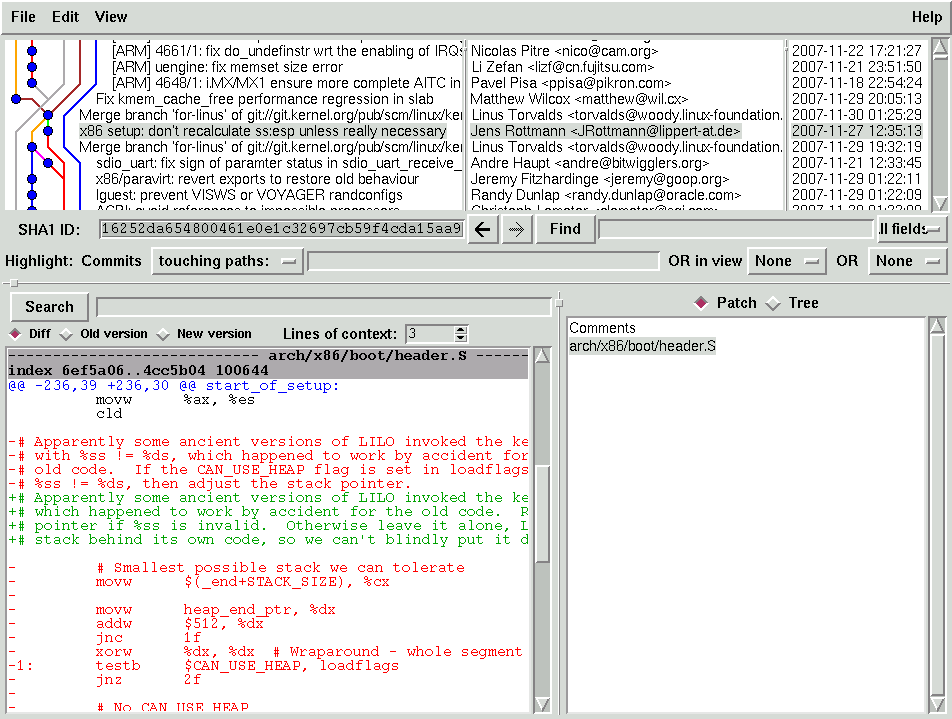
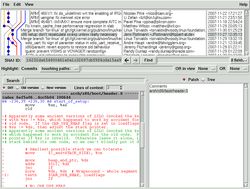
Make sure you are aware of gitk:
… and don’t forget to set readable fonts for gitk, like:
[ -r ~/.gitk ] || cat > ~/.gitk << EOF
set mainfont {Arial 10}
set textfont { Courier 10}
set uifont {Arial 10 bold}
EOF
If you prefer a Qt based interface check out qgit.
Useful ressources:

Currently there are some routing problems to the newsserver of Albasani.net. I can’t reach the newsserver from the system where I’m reading news, but through another system ($GATEWAY) which is located at another ISP without any problems. Solution?
ssh -L 9999:news.albasani.net:119 $GATEWAY NNTPSERVER=localhost:9999 slrn -f $NEWSRC
Simple. No further setup changes. Just. Works.
Im Rahmen des Intensivseminars “Information Management” gibt es am 5. Dezember von 13:30 bis 15:30 Uhr im Seminarraum 1 (Kopernikusgasse 24) einen Gastvortrag der Oracle Austria GmbH an der TU Graz.
Inhaltsmäßig geht es um Informations-Management mit Schwerpunkt auf Service Oriented Architecture (SOA). Der Eintritt ist frei, da es aber im Rahmen eines Intensiv-Seminars mit beschränkter Teilnehmerzahl stattfindet, ist eine Anmeldung notwendig. Wer kommen möchte, bitte einfach eine kurze Mail an mich.
Wenn mir Jörn schon mal ein Stöckchen zum Thema "Wie benutzt Du Deine virtuellen Desktops?" zuspielt, mach ich natürlich gerne mit. :-)
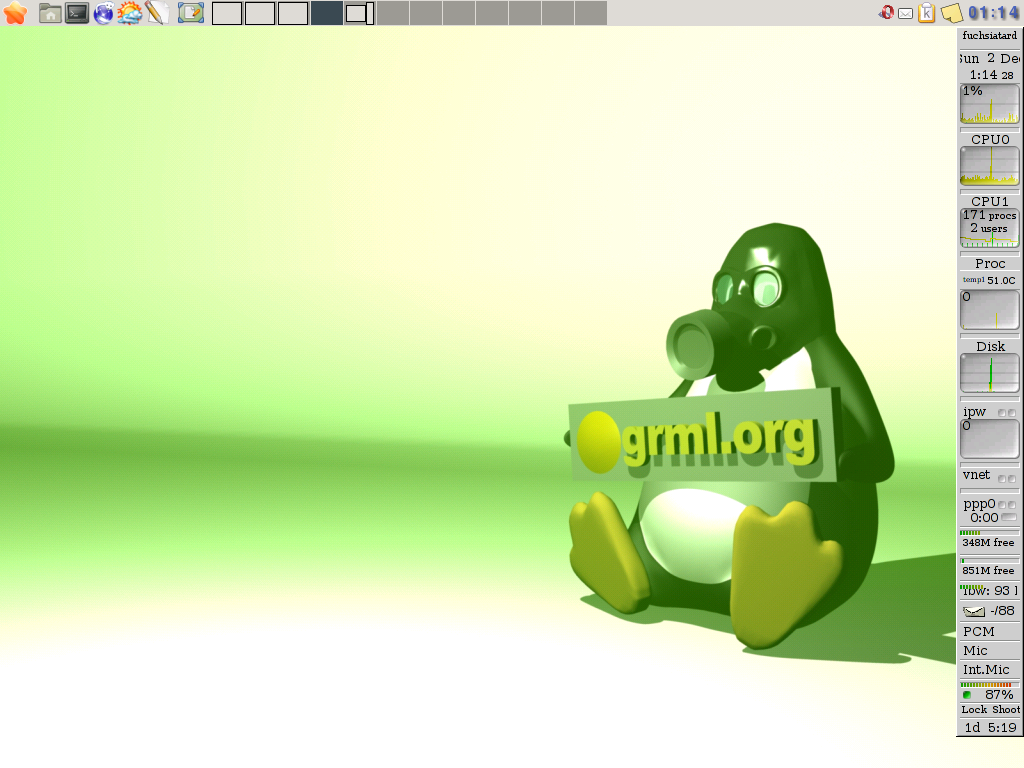
Ich hab auf meinem Linux-Desktop 12 virtuelle Desktops. Die Zahl 12, weil ich genau diese mit Alt-F1 bis Alt-F12 ansteuern kann. Meine statische Belegung der Desktops schaut wie folgt aus:
Die anderen Desktops werden dynamisch genutzt, je nach Applikationstyp und Art der Arbeit. Alles, was ich aber sowieso statisch nutze(n will), wird auch fix durch meinen Window-Manager (aktuell openbox) auf den jeweiligen Desktop gebunden. Denn ich verwende die virtuellen Desktops nicht nur für den schnellen Zugriff auf die einzelnen Applikationen, sondern auch, um meine Arbeitsgebiete zu trennen. Bürokram, Privates, Uni, grml,… – ich will nicht, dass mich z.B. Bürokram beim Arbeiten an grml aufhält oder ein Popup einer Applikation während dem Tippen stört. Deshalb starte ich durchaus sogar mal einen zweiten X-Server (typischerweise dwm mit einer Konsole), wenn ich wirklich meine Ruhe brauche.
Auf allen Desktops zugänglich (via Maus sowie Tastatur) sind yeahconsole, fbpanel (mit u.a. klipper und xpad) sowie gkrellm.
Zum 1. Desktop ist noch zu sagen, dass ich dort in der Konsole in einem Tab immer eine ssh-Session zu meinem Server laufen habe, wo GNU screen 24/7 läuft. Diese screen-Session sieht wie folgt aus:

Diese Fensterzuordnungen sind leider schon so in die Finger gebrannt, dass ich wohl noch mindestens 1000mal auf das 3. Fenster wechseln werde um festzustellen, dass ich centericq seit Kurzem gar nicht mehr nutze. Die anderen Konsolenfenster in GNU screen sind dann wiederum dynamisch vergeben. Dank preexec/precmd der Zsh-Konfiguration von grml werden die Fenstertitel in der screen-Session auch automatisch passend zur gestarteten Applikation benannt. Und natürlich läuft auch in den anderen Konsolen-Tabs (die ich wiederum via alt-<nummer> direkt anspringen kann) jeweils GNU screen. :)
I usually don’t blog links to external ressources without adding any further information, but too many people I’ve met in the last few days aren’t aware of the following docs:
Your buddy list in ICQ (especially when using centericq/centerim) seems to be shorter than usual since a few days? Check bug 39 in centerim’s bug tracking system.
Ok, just another chance to get rid of the centericq/centerim stuff, right? One option is to use the IRC instant messaging gateway BitlBee (especially if you are used to IRC client Irssi you’ll like it :-)).
Copy/paste instructions how to set up BitlBee (my reference system is a Debian/stable system using xinetd):
# apt-get install bitlbee
# cat > /etc/xinetd.d/bitlbee << EOF
service bitlbee
{
socket_type = stream
protocol = tcp
wait = no
user = bitlbee
server = /usr/sbin/bitlbee
port = 6667
disable = no
}
# /etc/init.d/xinet restart
# cat >> /etc/hosts.allow << EOF
bitlbee: 127.0.0.1
EOF
# cat >> /etc/services << EOF
bitlbee 6667/tcp
EOF
Then connect to localhost 6667 in your IRC client and start with reading ‘help quickstart’. Enjoy it.
# getSystemId Libsmbios: 0.12.1 Error getting the System ID : Service Tag: XschnippX Express Service Code: XschnippX Product Name: IBM System x3250 -[4364K1G]- BIOS Version: IBM BIOS Version 1.35-[XschnippX]- Vendor: IBM Is Dell: 0
Just a short notice: if you have to deal with the IBM Remote Supervisor Adapter (RSA) under Linux and it does not work with Firefox: use Opera instead. In Firefox the keyboard inside the remote console java applet does not work (at least on several boxes I’ve being working on) whereas it does in Opera. Oh and you definitely want to use the english keyboard layout on your local computer. Thanks for listening.
Peter Innerhofer lädt in tu-graz.anzeigen.veranstaltungen (MsgID: <fhui45$4o6$1@fstgss00.tu-graz.ac.at>):
zu einer Tor Install Party:
Hallo,
Im Rahmen des diesjährigen Netart.Community.Convention von mur.at veranstaltet der Realraum eine Tor Install Party.
Wann? am Freitag den 23.11 ab 16 Uhr (in Anschluss an den Backyard-Radio-Workshop).
Wo? Grenadiergasse 14, 3.Stock.
Tor ist ein anonymisierendes Netzwerk zum Schutz der Privatsphäre im World Wide Web. Es kann sich jeder mit dem Tor-Netzwerk verbinden und darüber anonym surfen. Aufgrund des speziellen Designs des Tor-Netzwerkes wird es fast unmöglich die Netzwerkzugriffe von einzelnen Personen zu überwachen bzw. zu analysieren.
Tor wird von verschiedensten Gruppen benutzt um ihre Kommunikationswege im Internet zu verschleiern um so einer Überwachung, staatlicher Zensur oder Industriespionage auszuweichen.
Es wird auf einfache Weise erklärt wie Tor funktioniert, wie man Tor benutzt und wie man Tor unterstützen kann, (oder: Wie setze ich einen Tor-Server auf?).
Bei Workshop wird live ein Tor-Server und ein Tor-Client aufgesetzt. Es steht auch ein Test-Server bereit an dem jeder einzeln sorglos Tor installieren kann.
Vorkenntnisse sind nicht notwendig. Wir versuchen einen allgemein verstänlichen und spielerischen Einstieg in die Thematik zu gestalten.
es zelebrieren:
Erwin Nindl
Peter InnerhoferWir bitten bei Interesse am Workshop um eine Rückmeldung.
Passend zum Thema kann ich euch übrigens das Buch "Anonym im Netz – Techniken der digitalen Bewegungsfreiheit" von Jens Kubieziel empfehlen.

ELITE, der Verein der Absolventen der Elektrotechnik und Informationstechnik an der TU Graz informiert:
[…]
auch dieses Mal haben wir für Sie zwei aktuelle Themenschwerpunkte für unsere Abendsvortragsreihe ausgewählt, dazu möchten wir Sie wieder herzlich einladen."Elektronikprodukte und deren Umweltauswirkungen"
Dr. Bernd KOPACEK, MSc., Austrian Society for Systems Engineering and Automation, TU Wien"Nachhaltige Elektrizität – Widerspruch in sich oder Chance für das 21. Jahrhundert"
Ao. Univ.-Prof. Dipl.-Ing. Dr. techn. Michael NARODOSLAWSKYZeit: Donnerstag, 22. November 2007 um 18:30 Uhr
Ort: HS E, 1. Stk. der TU Graz, Kopernikusgasse 24, 8010 GrazNähere Informationen finden Sie unter:
http://www.elite.tugraz.at/veranstaltungen/2007-11-22_Kopacek_Narodoslawsky.pdf
PS: Die Anmeldung ist auch via Web möglich.
Die Netart Community Convention 07 findet von 22. bis 25. November in Graz statt. Mehr Info zur NCC 07 gibt’s auf der NCC07 Website.
Quelle: http://mur.at/
Freiheit im Netz! […] – Freedom on the net! […]
Zum viertenmal seit 2001 veranstaltet der Verein mur.at die NCC. Was als Kongress begann, findet heuer zum erstenmal als eine Convention statt.
Unterschiedliche Arbeitsgruppen bearbeiten Themen unter dem Motto "Freiheit im Netz!" in den vielen verschiedenen Räumen des NCC.camp’s.
Nicht nur theoretische Themen wie die Zukunftsperspektiven von netart, sondern auch praktische Anwendungen in diesem Gebiet finden ein Nebeneinander und laden zum gemeinsamen Erleben des virtuellen Netzraumes im realen Camp.
NCC.camp @ Grenadiergasse 14, 8020 Graz
Quelle: http://ncc07.mur.at/
Was Dell zu Vista mit 512MB RAM sagt, hat wohl schon die Runde gemacht:
Great for… Booting the Operating System, without running applications or games
Sehr schön finde ich aber auch Amazon, die nicht nur einmal ein:
Mitgeliefertes Betriebssystem: Legales Windows XP Professional
im Angebot haben. 8-)
Experienced on a grml-developer meeting by gebi:

Stupid 32 vs. 64bit problem. See unison’s FAQ and #404697 for more information.
Workaround: just use the 32bit binary on the 64bit system. The real solution would be to use a current version of unison (>=2.27) – though the latest stable release of unison is still version 2.13 from year 2005 :-( – definitely time for a new stable release, no?
No, not running out of coffee (well, maybe) – but:
# ifup wlan=mika
[…]
No DHCPOFFERS received.
No working leases in persistent database.Exiting.
Failed to bring up mika.
:grin:
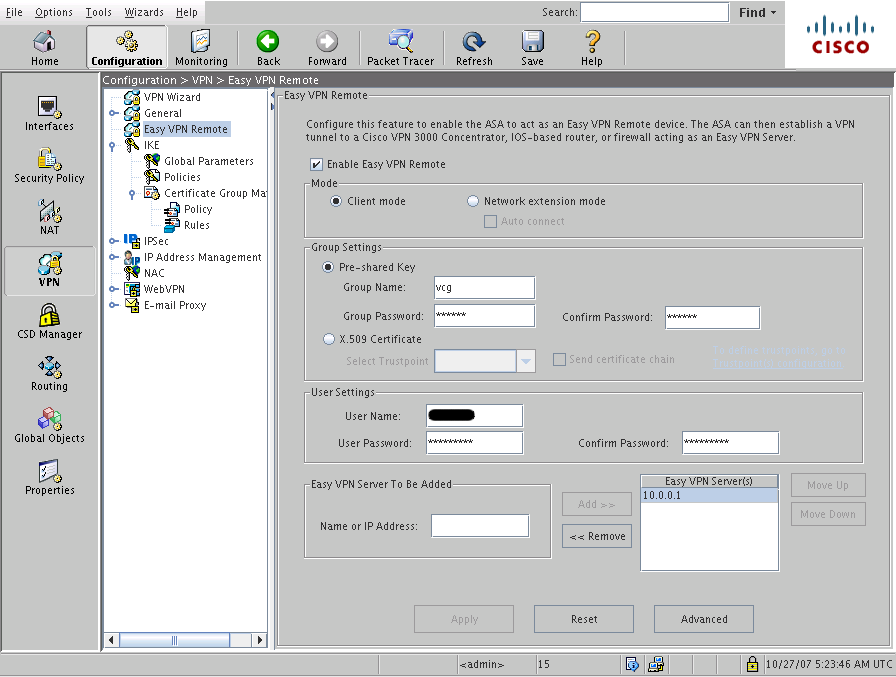
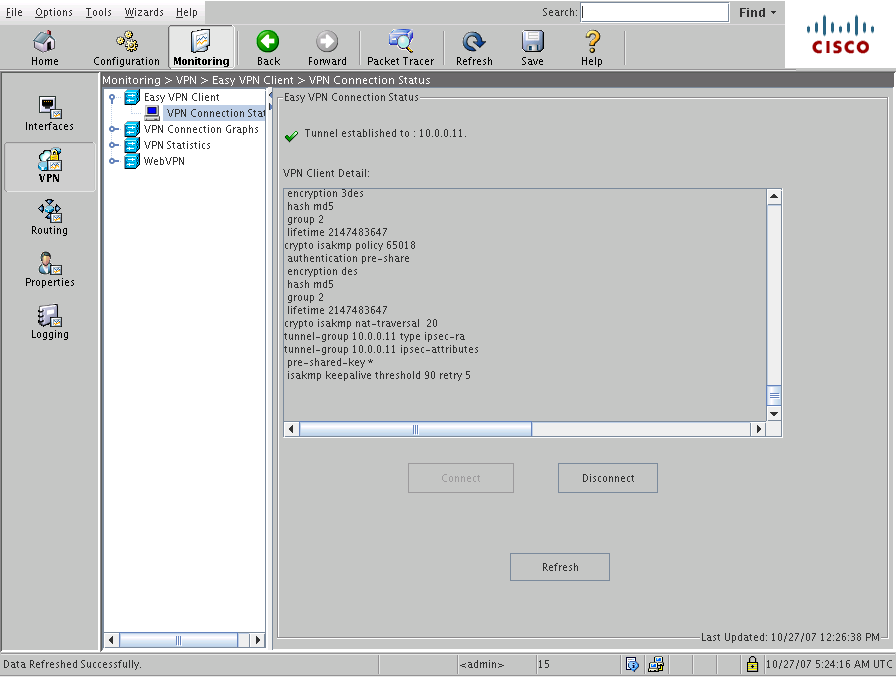
Wer etwas in der Richtung einer Cisco ASA5505 hat und im Virtuellen Campus Graz (VCG) ist, kann mit ASDM (hier in Version 5.2(3) im Einsatz) und dessen ‘Easy VPN Remote’ wirklich sehr einfach die Internet-Verbindung herstellen:
NAT/PAT funktioniert auch gleich OOTB. Wer das Setup auf der Kommandozeile bevorzugt:
vpnclient server 10.0.0.1
vpnclient mode client-mode
vpnclient vpngroup vcg password vcgraz
vpnclient username foo password bar
vpnclient enable
Looks like many people didn’t manage to solve this problem, so let’s feed google… If you notice the following error message when running apt-get:
# apt-get update
[…]
98% [Working]FATAL -> Could not set non-blocking flag Bad file descriptor
E: Method http has died unexpectedly!
# echo $?
100
… you forgot to mount the according partition using the dev mount option. So fix it via running something like:
mount -o remount,dev /path/to/filesystem