May 7th, 2008
If you feel tempted to use a picture of two hands shaking in front of a globe, put the pencil down, step away from the desk, and think about taking a vacation or investigating aromatherapy.
— Nancy Duarte, auf Seite 94 im Buch “Presentation Zen”

“Presentation Zen. Simple Ideas on Presentation Design and Delivery (Voices That Matter)” von Garr Reynolds (ISBN://978-0321525659) ist ein Anfang 2008 erschienenes Taschenbuch mit einem Umfang von ~230 Seiten. Wer sich für Präsentationstechnik interessiert, dem sollte presentationzen.com – das Blog von jenem Autor um dessen Buch es hier geht – ein Begriff sein. Ich zitiere einmal das Inhaltsverzeichnis von besagtem Buch:
Introduction
Preparation
Design
Delivery
The Next Step
Das Buch ist kein Tutorial mit Lösungen zu speziellen Problemen, sondern vermittelt einen Ansatz. Es gibt keine Tipps und Tricks zu Powerpoint oder Keynote, sondern Reynolds versucht sein “Zen of Presentation” zu vermitteln. Mir persönlich ist das Zen stellenweise ein bisschen zu ausführlich, aber die Kernaussagen lassen sich gut herausfiltern und ich finde vor allem die abgedruckten Folien, Diagramme und Bilder anregend.
Um es mit den Worten von Karl zu sagen: "Mir geht es um mein Publikum, das beim Vortrag sitzt und nicht das, das nicht gekommen ist." Konzentrieren auf das Wesentliche, das analoge Erstellen der Folien, "Simplicity",… Ich habe einige Anregungen mitgenommen.
Kaufempfehlung? Keine Ahnung, das muss jeder für sich selbst entscheiden. :) Zum Präsentationsstil von Reynolds gibt es bei Youtube ein Video, Beispiels-Folien von ihm findet man wie auch Präsentations-Tipps im Netz. Wer das anregend findet und sich für Präsentationstechnik interessiert, kann auch guten Gewissens das Buch kaufen. Ich würds mir noch mal kaufen.
BTW: Wer sich für das Thema generell interessiert, sollte sich auch auf ted.com umschauen.
Posted in Allgemein, Bücher & CO, Links | Comments Off on Buch: Presentation Zen
May 6th, 2008
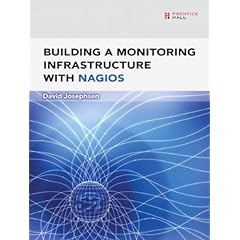
Building a Monitoring Infrastructure with Nagios von David Josephsen ist ein rund 200 Seiten leichtes Buch über das Open-Source Monitoring Tool Nagios. Das Buch ist in leicht verständlichem Englisch gehalten. Ich finde die Idee von Noses, bei Rezensionen das Inhaltsverzeichnis wiederzugeben kopierenswert, daher:
Introduction
CHAPTER 1 Best Practices
CHAPTER 2 Theory of Operations
CHAPTER 3 Installing Nagios
CHAPTER 4 Configuring Nagios
CHAPTER 5 Bootstrapping the Configs
CHAPTER 6 Watching
CHAPTER 7 Visualization
CHAPTER 8 Nagios Event Broker Interface
APPENDIX A Configure Options
APPENDIX B nagios.cfg and cgi.cfg
APPENDIX C Command-Line Options
Index
Für Einsteiger finde ich die Reihenfolge der Inhalte streckenweise nicht optimal gewählt, für Fortgeschrittene könnte man das Buch auf die Hälfte kürzen. In mehreren Codestellen habe ich Fehler und Unschönheiten entdeckt. :-/ Das Buch kam Anfang 2007 auf den Markt und behandelt damit verständlicherweise nicht die aktuelle Version 3.0 von Nagios. Als Referenz ist es klarerweise zu kurz ausgefallen (was ich aber nicht als Manko sehe), für Fortgeschrittene ist es mir streckenweise aber zu leichte und oberflächliche Kost.
Mitgenommen habe ich Anregungen zum Template-Handling und SNMP – das wars dann für mich aber eigentlich auch schon wieder. Um dem Buchtitel gerecht zu werden, fehlen mir z.B. die Erwähnung von klassischen Fallstricken im Monitoring, Tipps zur Notification und zum Bauen von HA-Setups und der Vereinigung autonomer Nagios-Systeme. Der Abschnitt zur Platzierung des Monitoring-Systems im Netzwerk fällt für meinen Geschmack zu kurz aus und die Erklärung zur “Load Average” unterschreibe ich so nicht ganz. Dafür wird das “Nagios Event Broker”-Interface in einem eigenen Kapitel angerissen (dort merkt man besonders stark, dass der Quelltext überhaupt nicht an die Textbreite des Buches angepasst wurde). Insofern verstehe ich nicht ganz, wer denn nun eigentlich die Zielgruppe für das Buch sein soll…
Kaufempfehlung? Pfuh…. Bei mir hat das Buch einen gemischten und nicht wirklich positiven Eindruck hinterlassen. Mangels Vergleich zu anderen englischsprachigen Büchern über Nagios möchte ich mich nicht festlegen, den Weg in mein Bücherregal findet es aber nicht. Potentielle Käufer sollten vor dem Kauf auf alle Fälle in das Buch reinschmöckern. Meine Empfehlung: den Buch-Index (PDF) nehmen und nach den interessanten (vielleicht doch noch unbekannten) Stichworten Googlen.
Posted in Bücher & CO, Computer, Links | 2 Comments »
May 5th, 2008

D’oh, forgot this blog entry in the drafts… Pretty old, but maybe useful for anyone out there anyway…. So: Since more than a year I’ve a DVB-T USB device, a Terratec Cinergy T². Of course I want to use it on my Debian-based grml system. It’s really easy to set it up:
# tail -f /var/log/syslog
Feb 14 19:22:58 funkenzutzler kernel: usb 5-1: new high speed USB device using ehci_hcd and address 3
Feb 14 19:22:58 funkenzutzler kernel: usb 5-1: configuration #1 chosen from 1 choice
Feb 14 19:22:58 funkenzutzler kernel: DVB: registering new adapter (TerraTec/qanu USB2.0 Highspeed DVB-T Receiver).
Feb 14 19:22:58 funkenzutzler kernel: usbcore: registered new interface driver cinergyT2
[...]
# hwinfo --usb
09: USB 00.0: 0000 Unclassified device
  [Created at usb.122]
  Unique ID: UfPf.tyRWE2yYXe8
  Parent ID: 2XnU.+jZio_DeJW9
  SysFS ID: /devices/pci0000:00/0000:00:1d.7/usb5/5-1/5-1:1.0
  SysFS BusID: 5-1:1.0
  Hardware Class: unknown
  Model: "TerraTec Cinergy T"
  Hotplug: USB
  Vendor: usb 0x0ccd "TerraTec GmbH"
  Device: usb 0x0038 "Cinergy T"
  Revision: "1.06"
  Driver: "cinergyT2"
  Driver Modules: "cinergyT2"
  Speed: 480 Mbps
  Module Alias: "usb:v0CCDp0038d0106dcFFdscFFdpFFicFFiscFFip00"
  Driver Info #0:
    Driver Status: cinergyT2 is active
    Driver Activation Cmd: "modprobe cinergyT2"
  Config Status: cfg=new, avail=yes, need=no, active=unknown
  Attached to: #7 (Hub)
So the driver module is loaded automatically, you just have to make sure you have the appropriate channels.conf for your location (grml ships a few for austria by default):
# aptitude install dvb-utils

% cat ~/at-klagenfurt
# DVB-T Klagenfurt
# ================
# * Klagenfurt (Dobratsch - Villacher Alpe)
# * Viktring (Stifterkogel)
#
# http://www.the-media-channel.com/dvb-t/oesterreich/dvb-t-oesterreich.html
#
# T freq bw fec_hi fec_lo mod transmission-mode guard-interval hierarchy
T 858000000 8MHz 2/3 NONE QAM16 8k 1/8 NONE

% scan at-klagenfurt > ~/.mplayer/channels.conf | tee > ~/.xine/channels.conf
That’s it, now you can watch DVB:
% xine dvb://ORF1
The remote control sends events like XF86AudioMute, XF86AudioLowerVolume, XF86AudioRaiseVolume out of the box. As they are bound in my window manager to approriate actions even the remote soundcontrol works.
BTW: w_scan is useful if you don’t have any initial channels.conf settings.
Posted in Computer, English, Hardware | 1 Comment »
May 5th, 2008
If you are new to Solaris one of the first things you might have to adjust is the network setup. If you are coming from the Linux-way-of-live the involved steps might be a bit uncommon for you. My description is refering to default Solaris EXCE (build 87) and OpenSolaris 2008.05 (build 86_rc3) systems. I’m describing the steps for a setup that persists across reboots, for on-the-fly temporary changes check out ifconfig(1M).
Since nevada build 62 Solaris provides a service named NWAM – the “Network Auto-Magic”. NWAM is running by default and tries to simplify network setup. To see whether it’s running just invoke ‘svcs svc:/network/physical’. If you want to go from auto-magic mode (being useful for example in a DHCP setup) to manual mode (if you need statically assigned addresses for example, that’s what we are talking about here) you have to disable the NWAM service. Disabling NWAM is BTW also necessary if you want to configure network via GNOME’s graphical network administration tool ‘network-admin’. To disable NWAM just execute:
% svcadm disable svc:/network/physical:nwam
See nwamd(1M) for more details about the nwam service. Now let’s continue with the relevant steps if you want to statically assign a persistent IP address.
This first important difference compared to Linux systems is the name of the network interface card (NIC). Whereas it’s something like eth0 and wlan0 by default on Linux, Solaris uses NIC names corresponding with the according driver (BSD users might know that already). So if you are using a PC-Net based card the device will be named pcn$ID, whereas your RealTek 8139 card will become rtls$ID.
Check which device(s) we have:
# ifconfig -a | grep index | awk -F: '!/^lo0/ { print $1}'
pcn0

Check the hostname (or just execute 'hostname'):
# cat /etc/nodename
solaris

We define the NIC and the hostname as environment
variables for further configuration steps:
# INTERFACE='pcn0'
# HOSTNAME='solaris'

Configure DNS:
# cp -p /etc/nsswitch.dns /etc/nsswitch.conf
# cat >> /etc/resolv.conf << EOF
domain lan
nameserver $IP_OF_A_NAMESERVER
nameserver $IP_OF_ANOTHER_NAMESERVER
EOF

Configure hostnames and IP address (notice: /etc/inet/ipnodes and
/etc/hosts are symlinks to /etc/inet/hosts):
# perl -p -i -e 's/127\.0\.0\.1.*/127.0.0.1       localhost loghost/' /etc/inet/hosts
# cat >> /etc/inet/hosts << EOF
192.168.10.2 $HOSTNAME
EOF

# cat > /etc/defaultrouter << EOF
192.168.10.1
EOF

# cat > /etc/hostname.$INTERFACE << EOF
$HOSTNAME
EOF

# cat >> /etc/netmasks << EOF
192.168.10.0            255.255.255.0
EOF

Restart network and name services (just to make sure you don't use any old
caches) to apply changes on-the-fly (otherwise reboot):
# svcadm restart svc:/system/name-service-cache
# svcadm enable  svc:/network/physical:default
# svcadm restart svc:/network/physical:default
Well, that’s it. Problems?
Check link status:
# dladm show-dev
# dladm show-link

Check what hardware devices are present using scanpci:
# /usr/X11/bin/scanpci
[...[]
pci bus 0x0000 cardnum 0x08 function 0x00: vendor 0x1022 device 0x2000
 Advanced Micro Devices [AMD] 79c970 [PCnet32 LANCE]

and/or use prtconf(1M) (print system configuration), search for
"Ethernet" or "Network" inside the output:
# prtconf -v | less

Check the driver bindings that already exist on your
system for the network interface (format: 'driver "vendor-id,device-id"'):
# grep pcn /etc/driver_aliases
pcn "pci1022,2000"
pcn "pci103c,104c"

/etc/path_to_inst provides the mappings of
physical device names to instance numbers:
# grep pcn /etc/path_to_inst
"/pci@0,0/pci1022,2000@11" 0 "pcn"

Check name service resolution:
# getent hosts solaris
192.168.10.2   solaris
Use the update_drv(1M) command to update the driver configuration, the devfsadm(1M) command to rebuild the /dev device tree and to load the driver use the modload(1M) command.
For further details check out the official documentation: “System Administration Guide: IP Services” (PDF version).
Posted in Computer, English, Solaris | Comments Off on Solaris: Network Configuration
May 5th, 2008
Update on 2008-05-05: the stable release of OpenSolaris (2008.05) ships the pcn driver, updated the according section in this blog entry.
% cat /etc/release
Solaris Express Community Edition snv_87 X86
Copyright 2008 Sun Microsystems, Inc. All Rights Reserved.
Use is subject to license terms.
Assembled 07 April 2008
Well, I wanted to take a look at the Release Candidate of Opensolaris 2008.05 but decided to start with Solaris Express Community Edition (SXCE) – Build 87 instead. You know: OpenSolaris -> SXCE -> SXDE -> Solaris 10 (german readers should take a look at Joerg Moellenkamps ‘Welches Solaris‘).
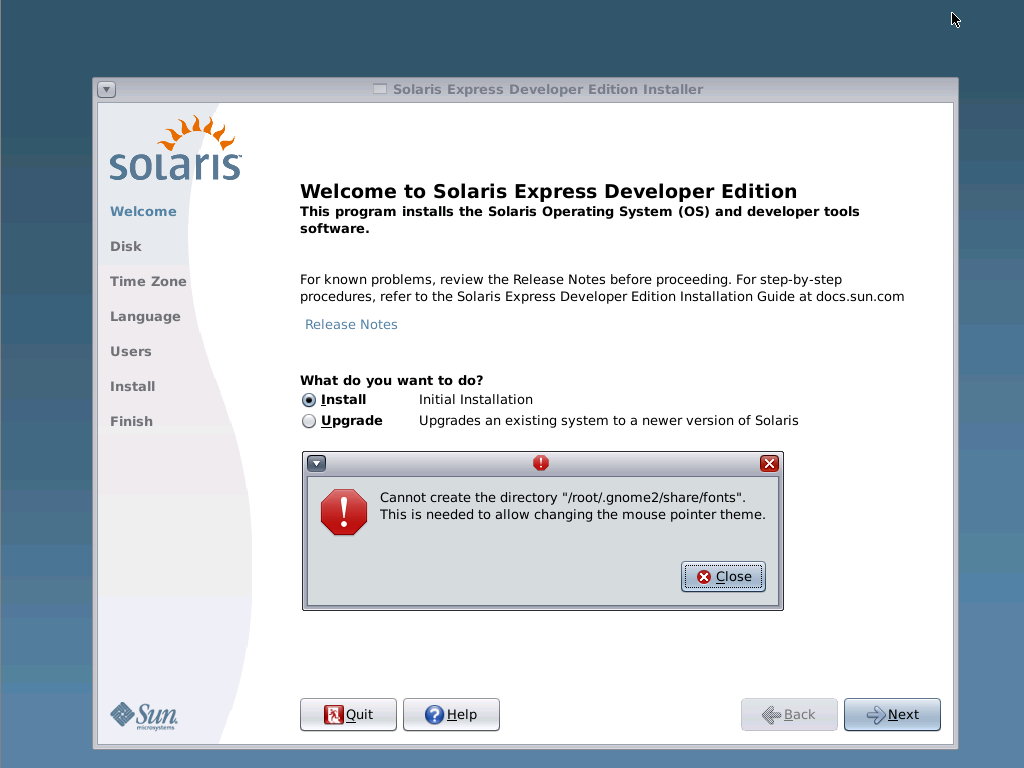
I’ve installed Solaris inside Virtualbox (version 1.5.6_OSE) on a grml64 system (providing 1GB RAM to the virtual machine). First impression: just a few questions in the installer. Though the first error message pops up just after a few seconds:
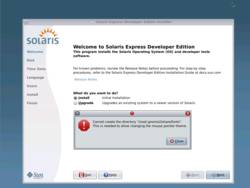
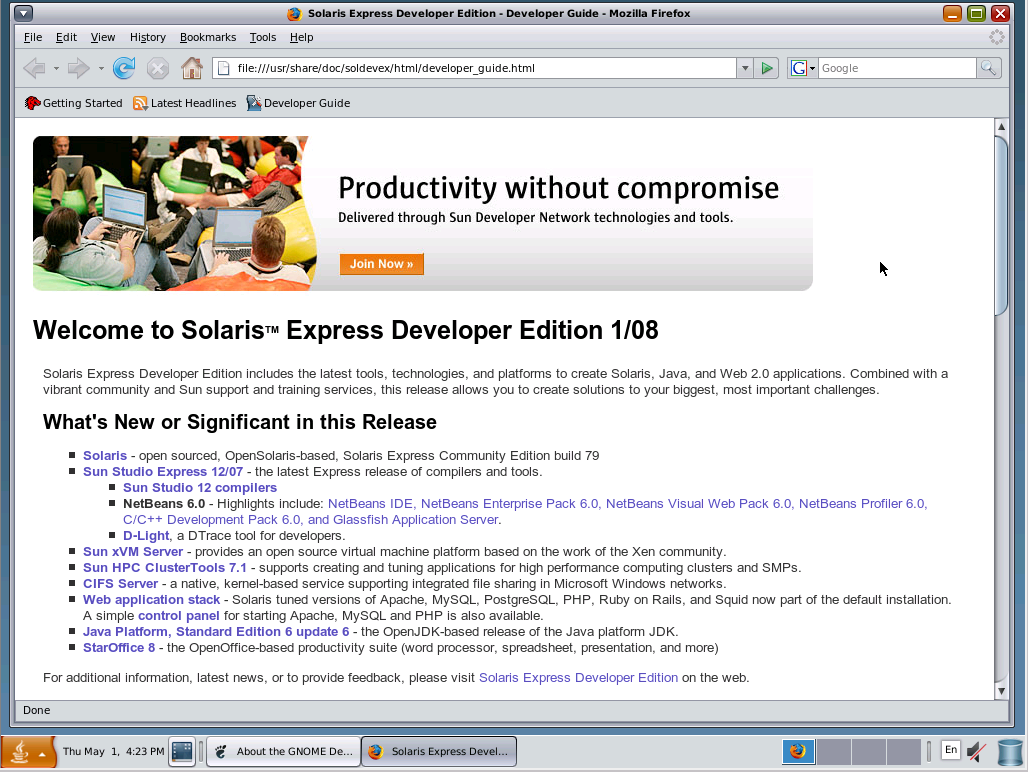
Installation done:
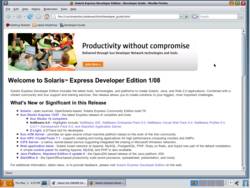
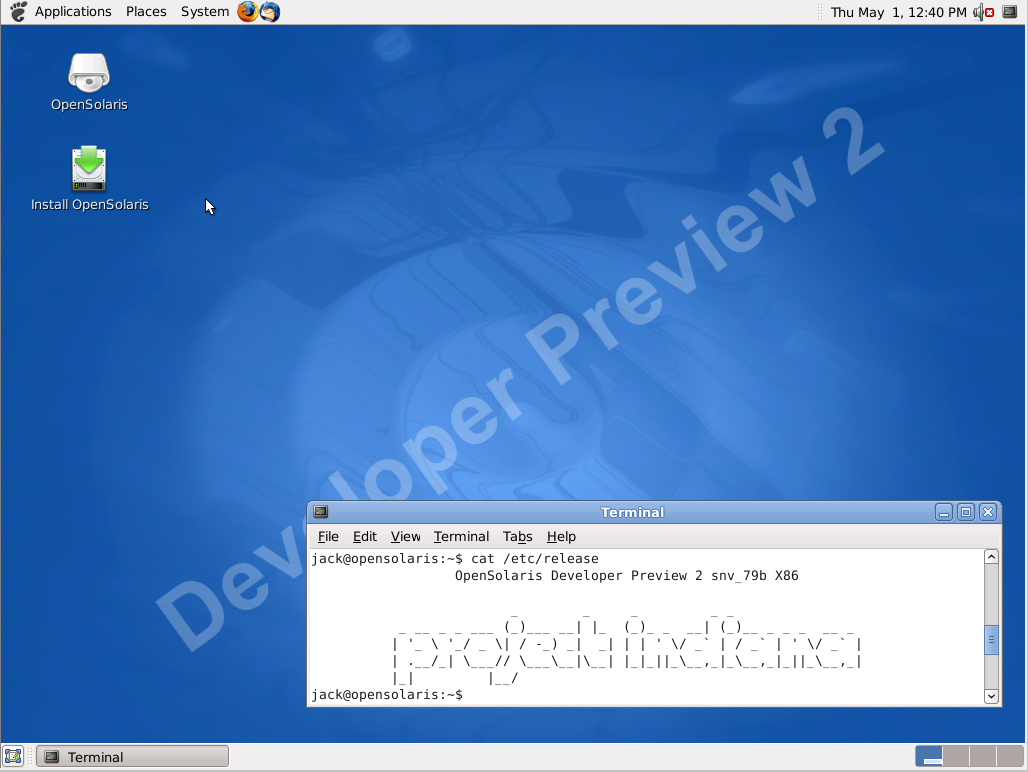
In the meanwhile download of OpenSolaris Developer Preview 2 finished and I booted it, again using Virtualbox:
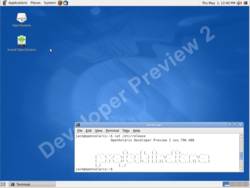
Problem: the AMD PCnet network driver is not part of the relase. Switching to “Intel PRO/1000 MT Desktop (82540EM)” doesn’t help either because Debian’s OpenSource-Version of Virtualbox does not ship support for e1000 (see /usr/share/doc/virtualbox-ose/README.Debian and #479093).
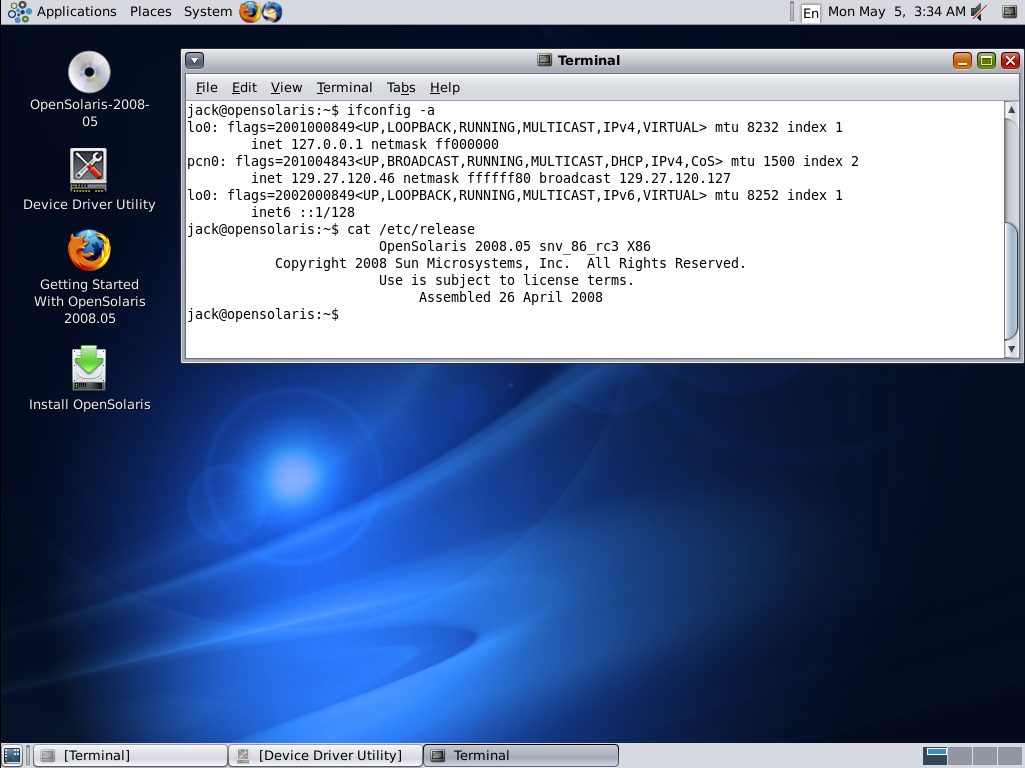
Update: OpenSolaris 2008.05 (snv_86_rc3_X86) ships the pcn driver for the AMD PCnet32 network device. Works inVMware out-of-the-box:
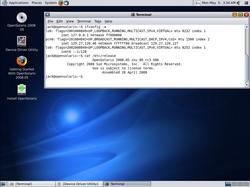
No other problems so far (though I don’t like the fact to be prompted for keyboard layout during bootup), but I can verify the fact that OpenSolaris does not ship a c/c++ compiler, whereas SXCE provides the gcc 3.4.3 and Sun C 5.9 compilers. Dear sun, how about shipping a compiler instead of Mahjongg and >10 other GNOME games? 8-)
Useful resources:
Posted in Computer, English, Links, Solaris | Comments Off on A look at OpenSolaris… (Update)
May 4th, 2008
Additionally to grml-router (set up your box as NAT-router), grml-bridge (set up your box as bridge) and grml-ap (set up your box as access point) thanks to Gebi the current grml versions provide a simple script named grml-vnet. grml-vnet is a script to create persistent tun/tap devices with integrated bridge handling.
It’s a nice feature to get a bridge setup for use with for example VirtualBox in just a few seconds. Compared to the network setup described in /usr/share/doc/virtualbox-ose/README.Debian of current VirtualBox versions it’s a more generic way to get that feature.
A comfortable way to use grml-vnet is defining it in /etc/network/interfaces (please adjust ‘mika’ with your username ;-)):
auto vnet
iface vnet inet static
post-up /usr/sbin/grml-vnet -u mika -b vnet tap{0..3}
pre-down /usr/sbin/grml-vnet -u mika -b vnet -d tap{0..3}
bridge_ports none
address 192.168.10.1
netmask 255.255.255.0
Then bring up the device and enable IP forwarding:
# ifup vnet
# echo “1” > /proc/sys/net/ipv4/ip_forward
# iptables -t nat -A POSTROUTING -o $OUTGOING_NETWORK_DEVICE -j MASQUERADE
That’s it. Now you can configure your virtual machine to use a tap-device (make sure your user is in the vboxusers group (check /etc/group) to be able to access the corresponding devices):

Statically assign an IP address like 192.168.10.2, using netmask 255.255.255.0 and gateway 192.168.10.1 inside the virtual machine to bring your system to the net. You’re really lazy? Then use a DHCP server to also automate assignment of IP addresses. Just adjust your dhcpd.conf:
subnet 192.168.10.0 netmask 255.255.255.0 {
range 192.168.10.50 192.168.10.200;
option routers 192.168.10.1;
option domain-name-servers $IP_OF_A_NAMESERVER, IP_OF_ANOTHER_NAMESERVER;
}
Posted in Computer, English | Comments Off on grml-vnet – create persistent tun/tap devices with integrated bridge handling
May 4th, 2008
Posted in Events, Links | Comments Off on Nearling?
May 4th, 2008
Linux has always been able to show how much I/O was going on
(the bi and bo columns of the vmstat 1 command).
iotop is a Python program with a top like UI used to show of behalf
of which process is the I/O going on. It requires Python ≥ 2.5 and
a Linux kernel >= 2.6.20.
— http://guichaz.free.fr/misc/#iotop
The iotop package is available in Debian/sid now.
Posted in Computer, English, Links | Comments Off on iotop – simple top-like I/O monitor for Linux
May 3rd, 2008
Quoting the package description of Debian’s gitosis:
gitosis aims to make hosting git repos easier and safer.
It manages multiple repositories under one user account,
using SSH keys to identify users. End users do not need
shell accounts on the server, they will talk to one shared
account that will not let them run arbitrary commands.
I’m pretty happy with mercurial at grml (see our instructions if you are interested in our setup details) because we follow a linear development model (and I try to keep it that way regarding the workflow). Though I was thinking about forking an existing project for grml without losing the possibility to sync with original upstream. The project in question uses git and as I really love the way branching works in git I wanted to give it a try using my own infrastructure. An easy way of doing so is using gitosis. Gebi already blogged about that but I wrote down the setup instructions if you want to use it on Debian/etch:
First of all make sure to have a recent git-core package from backports.org:
# cat /etc/apt/sources.list
[...]
deb http://www.backports.org/debian etch-backports main contrib non-free

# cat /etc/apt/preferences
[...]
Package: git-core
Pin: release a=etch-backports
Pin-Priority: 999

# apt-get update; apt-get install git-core
Install my Debian package of gitosis being based on Debian unstable’s version 0.2+20080319-3 and adjusted for use on Debian/etch (or build your own package using python2.4 in debian/rules and adjusting build-dependency for python-setuptools or install from source):
# wget http://grml.org/git/gitosis_0.2+20080319-3_all.deb
# dpkg -i gitosis_0.2+20080319-3_all.deb
Initialise setup with your own ssh key:
# sudo -H -u gitosis gitosis-init < /path/to/your/sshkey/id_rsa.pub
And finally clone the gitosis-admin repository for administration (see resources at the end of this article for further information):
% git clone gitosis@${SERVER}:gitosis-admin.git
Now adding new repositories is as easy as putting something like the following snippet to gitosis.conf of the gitosis-admin repository (don’t forget ‘git commit -a ; git push’ :-)):
[group demo]
members = mika@foo
writable = demo
mkdir demo ; cd demo
git init
$DO_SOME_STUFF
git add .
git remote add origin gitosis@$SERVER:demo
git push --all
That’s it!
I’m not yet sure what might be the best way to provide git as an official service for grml. This needs further investigation… (gitweb stuff, permission handling, integration with mercurial,…), though gitosis seems to be a nice start.
Useful resources:
Posted in Computer, English | 2 Comments »
May 2nd, 2008
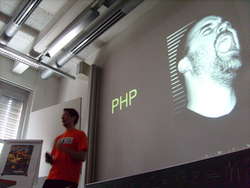
At linuxdays Graz I held my talk about "Systemadministration++". I was telling my audience mainly stuff I collected for adminzen.org. It was the first time I could use the lessig method for presentation. First time, and could? Yes, because when using the lessig method to be able to use a presenter screen a dual head setup is recommended. As so many people asked me about the presentation software and the setup I used I’ll keep my promise and write some sentences about that…..
As you might know from my previous blog entry about OpenOffice’s Impress using a presenter screen on Linux isn’t that easy. Cool, we have something to make the next year the one of “Linux on the desktop” once again, right?
Alright. OO isn’t yet ready for what I need. KOffice? Doesn’t even have an idea of what dual head might be. Failed. Currently pdf-latex is my favourite way of writing slides – being able to write my slides remotely, put plain text files under version control, all the stuff you know… So I thought about a way to use my cute RandR setup where I’ve to do nothing more than execute just two commands to get the dualhead stuff on-the-fly:
% xrandr --output VGA --mode 1024x768
% xrandr --output VGA --left-of LVDS
Dual head running, what I’d need is either a PDF file splitted into two halfs and being used over both screens or two PDFs getting synchronised in two different PDF viewer instances. The first option isn’t possible due to several reasons [snip rant on pdf viewers]. But xpdf provides a -remote option, being exactly what I need. Instead of using two separate xpdf instances I can use keyjnote with the following infoscript (thanks Martin Fiedler) for the main presentation on the external screen (visible for my audience):
% cat serveradministration.pdf.info
[...]
import os

def page_enter():
    os.spawnvp(os.P_NOWAIT, "xpdf", \
    ["xpdf", "-remote", "notes", "-exec", "gotoPage(%d)" % Pcurrent])

for page in xrange(1, PageCount+1):
    SetPageProp(page, 'OnEnter', page_enter)
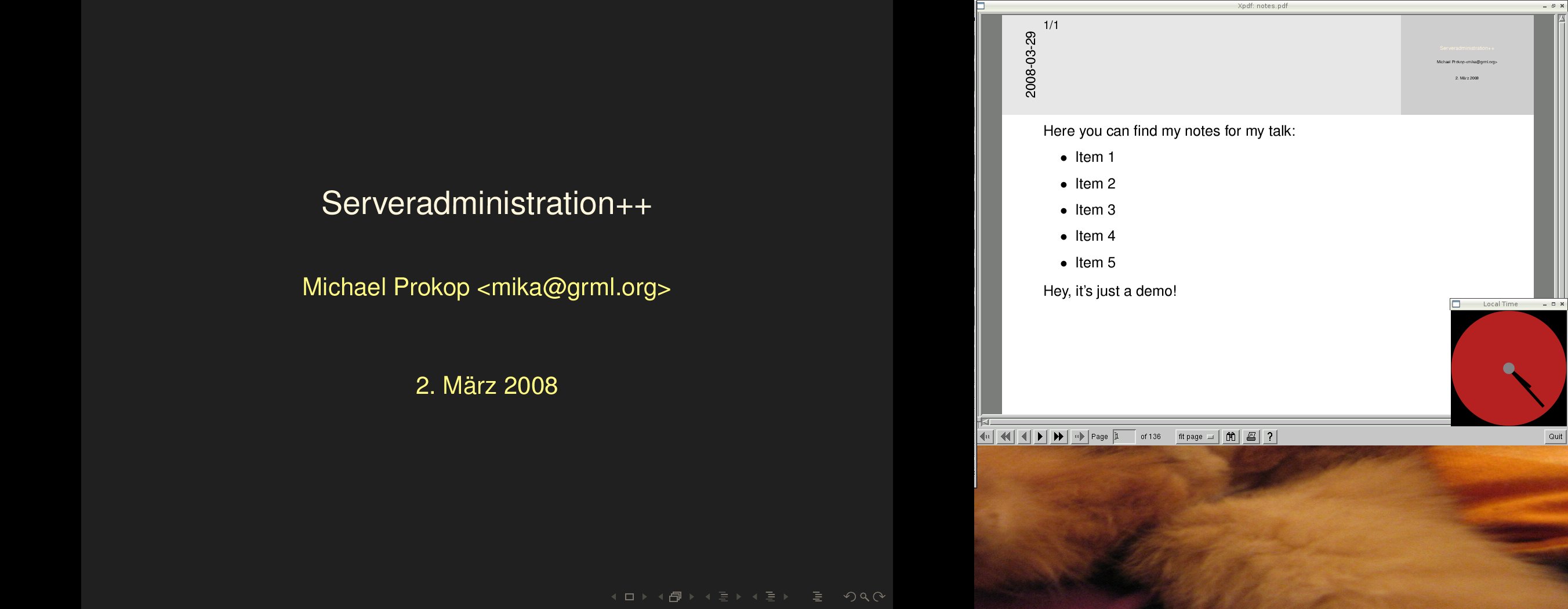
On the internal screen I see my notes.pdf which is being synchronised with the external screen thanks to xpdf and keyjnote scripting automatically. A simple Python-Cairo script does the job for displaying the local time on the internal screen. That’s what it looks like (older screenshot with blabla notes, but you should get the idea) – on the left side the external screen and on the right side (only the bottom of it is getting used and visible) is my laptop’s screen:
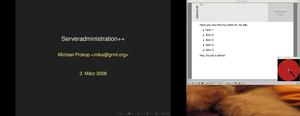
The lessig-style and automatic generation of the according slides.pdf and notes.pdf are handled through a simple and stupid framework I wrote for myself. I’m planning to improve that framework together with my colleagues from LaTeX@TUG and provide it to the public. Dig through the Keytex-page in the grml-wiki to get a first idea what I’m talking about.
The slides of my sysadmin talk (PDF, 7MB) are available now. Disclaimer: without attending to my talk the slides won’t be that useful.
Posted in Computer, English, Events, Links | Comments Off on GLT08: Sysadmin Talk
May 2nd, 2008
Update: thanks for mentioning ethtool, Robert Fischer
A common sysadmin task is to locate a specific device and identify which driver is responsible for it. Usage examples to identify a WLAN device on Linux:
Not so well known yet – pciutils >=2.2.9. provides switch ‘-k’ for lspci:
% lspci -k
[...]
03:00.0 Network controller: Intel Corporation PRO/Wireless 3945ABG Network Connection (rev 02)
        Kernel driver in use: ipw3945
        Kernel modules: ipw3945
[...]
Using hwinfo:
% hwinfo --netcard
  Model: "Intel PRO/Wireless 3945ABG Network Connection"
[...]
  Driver: "ipw3945"
  Driver Modules: "ipw3945"
  Device File: ipw
  Features: WLAN
Via ethtool:
% ethtool -i ipw
driver: ipw3945
version: 1.2.1dmpr
firmware-version: 14.2 1:0 ()
bus-info: 0000:03:00.0
Or using the manual approach via sysfs (being /sys/class/net/$DEVICE_NAME/device/driver/module) – recommended for scripting:
% basename $(readlink /sys/class/net/ipw/device/driver)
ipw3945
Posted in Computer, English | 1 Comment »
May 1st, 2008
Wer die LKML nicht mitliest, aber am Workflow von Open-Source-Entwicklung interessiert ist, sollte unbedingt in den Thread "Slow DOWN, please!!!" hineinlesen. Ausgelöst von David ‘Mr. SPARC and Network’ S. Miller, geht es um die Frage, wie man die enorm vielen Patches und damit einhergehende Bugs/Regressionen im Merge-Window besser in den Begriff bekommen könnte.
Natürlich ist das teilweise sehr spezifisch für das Entwicklungsmodell “wohlwollender Diktator” (engl: benevolent dictator) beim Linux-Kernel, aber gerade wenn man den Kontext zur Entwicklung rund um OpenSolaris herstellen kann, verstecken sich einige sehr interessante Aussagen in der Diskussion.
Als Anregung ein kleines Best-Of:
Linus:
I don’t think quality and speed of development are related. In fact,
I think quality and speed often go hand-in-hand: the same way
some of the best programmers are also the most productive,
I think some of the most productive flows are likely to generate
the best code!
Al ‘code-auditor’ Viro:
On Wed, Apr 30, 2008 at 06:40:39PM -0700, Linus Torvalds wrote:
> Now, we do know that open-source code tends to be higher
> quality (along a number of metrics) than closed source code,
> and my argument is that it’s not because of bike-shedding
> (aka code review), but simply because the code is out there
> and available and visible.
Really? And how, pray tell, being out there will magically improve the
code? “With enough eyes all bugs are shallow” stuff out of ESR’s arse?
Andrew Morton:
On Wed, 30 Apr 2008 15:31:22 -0700 (PDT) Linus Torvalds wrote:
> Any suggestions on how to convince people that their code
> is not worth merging?
Raise the quality. Then the volume will automatically decrease.
Ich bin ja gespannt, ob und wie es das Thema bis in die Mainstream-IT-Medien (heise & CO) schafft…
Posted in Computer, Links | 1 Comment »
April 22nd, 2008
Click for the large version:

[shot by Sven Guckes]
Posted in Computer, English, Links | Comments Off on Extended Vim
April 21st, 2008
Posted in Computer, English, Rants | Comments Off on know-how != know-how
April 18th, 2008
Musik von Ed Partyka unter Windows anhören:
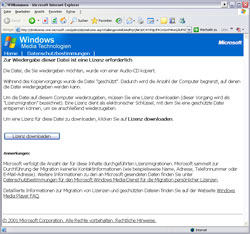
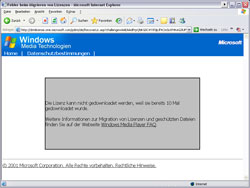
Posted in Computer, Links, Rants | Comments Off on So nahe und doch so fern…
April 17th, 2008
21:59 < formorer> mika: pong :)
22:01 < mika> formorer: ping
22:02 < ft> ricmp? :)
Posted in Computer, English | 1 Comment »
April 17th, 2008
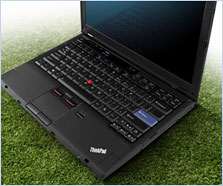
My personal wishlist for the successor of Lenovo’s X300 ThinkPad:
- less noisy fan / better fan regulation
- docking station support
- stronger CPU
- firewire connector
- SD card reader
- ExpressCard/PC card slot
What I really like at the current X300:
- the overall size
- the 13.3-inch display running at 1440×900
- the builtin SSD (from Samsung)
- the keyboard (just rocking)
- the integrated camera
- the surface (yeah, it’s really awesome)
- sound quality of external boxes (being much better than on the Thinkpad X61)
Want to see the X300 in action? Visit the grml booth at Grazer Linuxdays on 19th of april 2008.
Posted in Computer, English, Hardware | Comments Off on Wishlist for the successor of Lenovo’s X300
April 14th, 2008
Posted in Computer, English, Links | 1 Comment »
April 14th, 2008
Ein bisschen etwas in eigener Sache, was schon länger in den Drafts liegt: Nach über 5 Jahren als Sysadmin am Institut für Unternehmungsführung und -organisation an der TU Graz ist es Zeit für einen Tapetenwechsel. Am 14. Jänner habe ich meinem Chef meine Entscheidung mitgeteilt und mit Ende Juni 2008 läuft mein aktueller Arbeitsvertrag aus.

Ich bleibe noch mindestens ein Jahr in Graz. Im Sommer geht es – gemeinsam mit meiner Freundin – auf Wohnungssuche. Wer da was Nettes in Graz kennt: bitte melden!
Jobmäßig möchte ich weiterhin im Bereich Systemadministration und -integration tätig bleiben. Selbstständig? Angestellt? Das weiss ich noch gar nicht so recht. Wer glaubt, etwas passendes für mich zu kennen/haben: meine Mailbox steht offen.
In den nächsten Tagen und Wochen bin ich noch an “Release! Was Open-Source-Projekte erfolgreich macht” (ISBN:978-3937514604) dran und auf dem Weg zum offiziellen Debian-Developer. Am 19. April gehen wie schon erwähnt die Grazer LinuxTage (bei denen ich wie immer im Organisationsteam tätig bin) über die Bühne und am 30. Mai bin ich noch beim Linuxtag in Klagenfurt mit 2 Vorträgen anzutreffen.
Posted in Allgemein, General | Comments Off on Abbruch… Aufbruch… 2008
April 13th, 2008
Kleiner Reminder:
Am Samstag, dem 19. April findet der Grazer LinuxTag 2008 an der FH Joanneum statt!
Vortragende aus dem In- und Ausland werden in einem breit gefächertem Programm in insgesamt 28 Vorträgen versuchen, die Neugierde und den Wissensdurst der Besucher zu befriedigen.
Es besteht die Möglichkeit zur Absolvierung von LPI-Prüfungen zu besonders günstigen Konditionen. Ein Buchstand sowie 14 Infostände zu diversen Projekten (u.a. Debian, Funkfeuer Graz, Gentoo, Kubuntu, OpenOffice) sind vor Ort vertreten.
Dank der großzügigen Unterstützung der Sponsoren ist auch dieses Jahr die Teilnahme kostenlos!
Weitere Details unter linuxtage.at
Posted in Allgemein, Computer, Events, General, Links | Comments Off on Grazer LinuxTag 2008 – 19. April